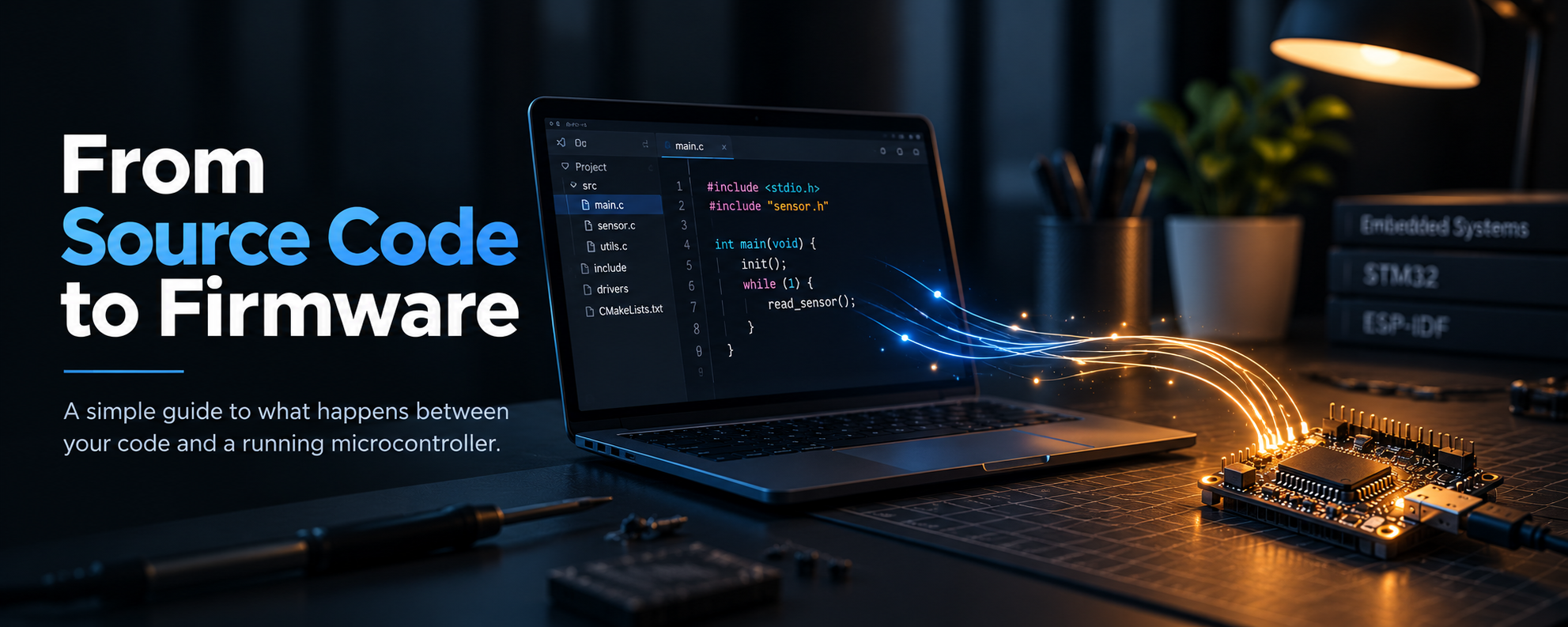

Ever wondered what actually happened when you click Verify and Upload in Arduino IDE?
Behind these familiar buttons lies a series of steps that transform your code into instructions a microcontroller can execute!!
As you move to professional development environments like ESP-IDF and STM32CubeIDE, you’ll encounter terms such as preprocessing, cross-compilation, linking and flashing. What do they mean and how do they fit together?
The Tools Behind Embedded Development
Not all embedded projects are built in the same way. The process depends on the microcontroller, the development framework and the tools used to build the application.
An SDK (Software Development Kit) provides platform-specific libraries, APIs, configuration options and utilities. A framework provides the structure and functions used to develop the application, while a toolchain supplies tools such as the compiler, assembler and linker.
For example, Arduino simplifies development with ready-to-use functions and libraries, while ESP-IDF provides more control over ESP32 features, FreeRTOS tasks and system configuration. STM32CubeIDE integrates development tools with STM32-specific configuration and debugging features.
Although these environments differ in complexity and workflow, they rely on a common set of underlying processes to prepare code for execution. Let’s visualise this common workflow before exploring each stage in detail.
Understanding each step
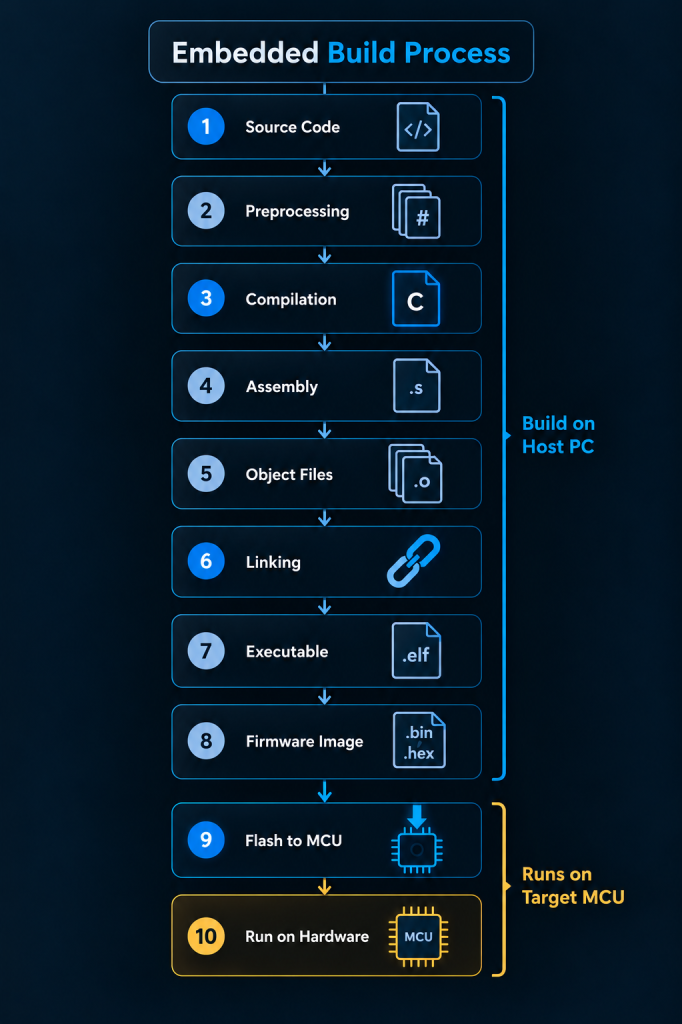
1. Write source code
You write the program in C or C++, usually across files such as main.c, driver.c and their corresponding header files.
This is the human-readable code that describes what the microcontroller should do.
2. Preprocessing
Before compilation, the preprocessor handles directives (instructions that control how your code is compiled, configured or processed) such as #include, #define and #ifdef.
- #include brings in declarations from header files.
- #define creates macros (Used to define constants or replacement text) that can be expanded.
- Conditional directives select code according to the active configuration.
The result is an expanded source file ready for compilation.
3. Compilation
The compiler translates the preprocessed C/C++ code into assembly language, applying optimizations if enabled.
In embedded development, a cross-compiler generates instructions for the target microcontroller rather than your PC’s processor.
Example: arm-none-eabi-gcc is commonly used for STM32 Cortex-M targets.
4. Assembly
The assembler converts assembly instructions into machine-code instructions understood by the target CPU.
For example, a file ending in .s may be converted into an object file ending in .o.
5. Object files
An object file contains machine code, data sections and symbol information.
It is not necessarily a complete executable because references to functions or variables defined elsewhere may still need to be resolved. A project with multiple source files can produce multiple object files.
6. Linking
The linker combines object files and required libraries into a single executable. It also:
- Resolves references between functions and variables.
- Assigns addresses to code and data.
- Places sections according to the linker script.
A missing function definition can cause an undefined reference error at this stage.
7. Executable output
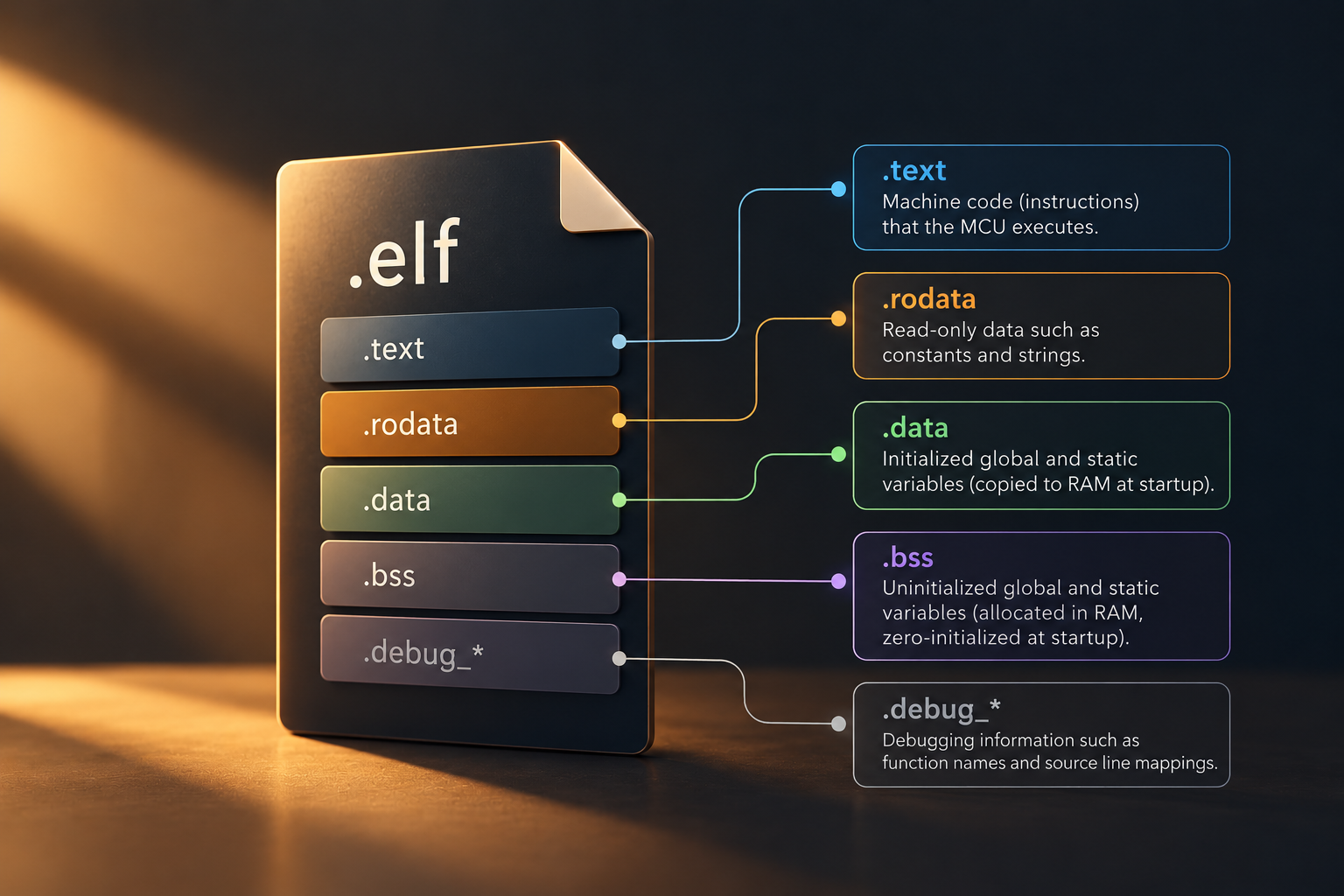
The linker typically produces an ELF file (.elf).
It contains the linked program and can also contain debugging information, such as function names and source-line mappings.
Developers use it for debugging and examining memory usage. It is not necessarily the file directly sent to the microcontroller for programming.
8. Generate the firmware image
A tool converts the executable into a format suitable for programming.
ESP-IDF also generates ESP-specific images and supporting files, such as the bootloader and partition table.
File | Purpose |
.elf | Executable with symbols and potentially debugging information |
.bin | Raw binary bytes without embedded destination addresses |
.hex | Text records containing data, addresses and checksums |
9. Flash the firmware
Flashing means programming the firmware into the microcontroller’s non-volatile flash memory.
The programming tool erases the required flash areas, writes the image and may verify the result.
10. Run the firmware
After reset, the microcontroller follows its startup sequence, initializes required memory and runtime components and eventually begins executing the application.
The entry point depends on the framework:
- STM32: Startup code eventually calls main().
- Arduino: The core calls setup() and repeatedly calls loop().
- ESP-IDF: System initialization eventually leads to app_main() running in a FreeRTOS task.
How SwayAlgo Approaches Firmware Development
Firmware development is an iterative process that goes beyond getting the logic right. First, we develop the core logic and write the initial code, then test it until the required end-to-end functionality works. During development, you might notice temporary functions, debugging code or unused sections still present in the codebase. That’s normal at this stage!
Once the complete functionality is implemented and tested, we refine the code by removing unnecessary sections, improving readability and making it more maintainable and production-ready. This reflects SwayAlgo’s focus on building reliable, scalable systems that work beyond just a successful demo.
Bridging the Learning Gap
When I first started exploring firmware development beyond Arduino, I found myself struggling to connect what I already knew with the new concepts I was encountering. Most resources I came across either jumped straight into the build process or explained individual stages separately. There was very little that connected the dots from an Arduino user’s perspective, and with so many unfamiliar terms coming up at once, figuring it all out was harder than I expected. I didn’t even realise that understanding the build process was what I needed to look up. This article is an attempt to make that learning curve a little smoother for others.
Further Reading & Resources
Want to explore the build process in more detail? These resources are a good place to start:
- ESP-IDF Build System — Understand components, project configuration, and how ESP-IDF builds applications.
- STM32CubeIDE User Guide — Learn more about the build workflow, linker scripts and generated executable files.